





How to use : Data Charge
Add data amount
Data Charge
-
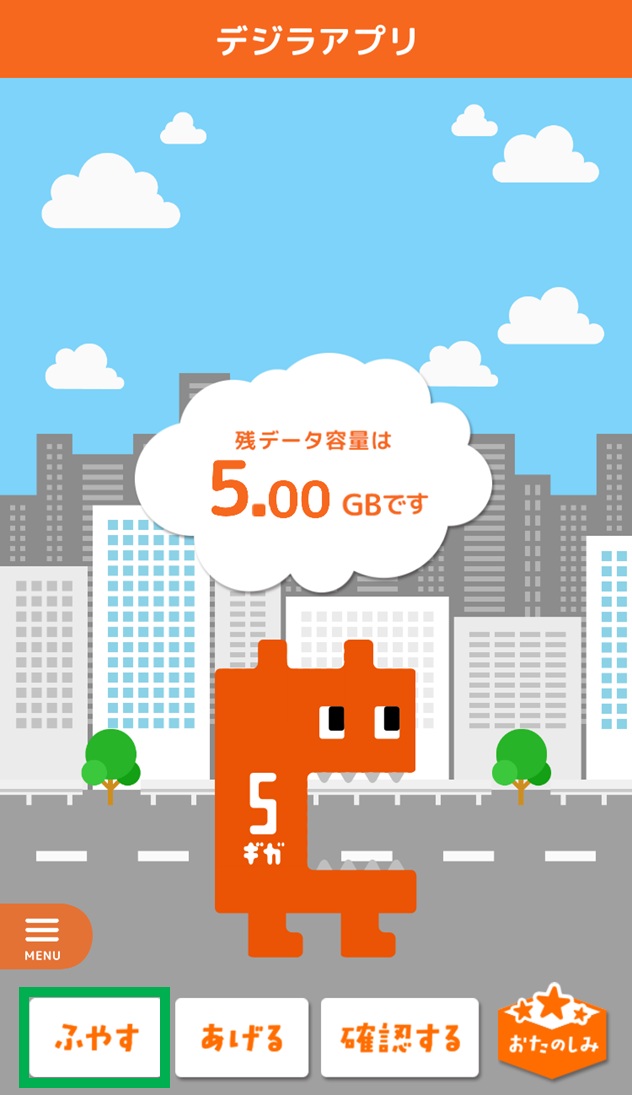
Tap "ふやす"
-
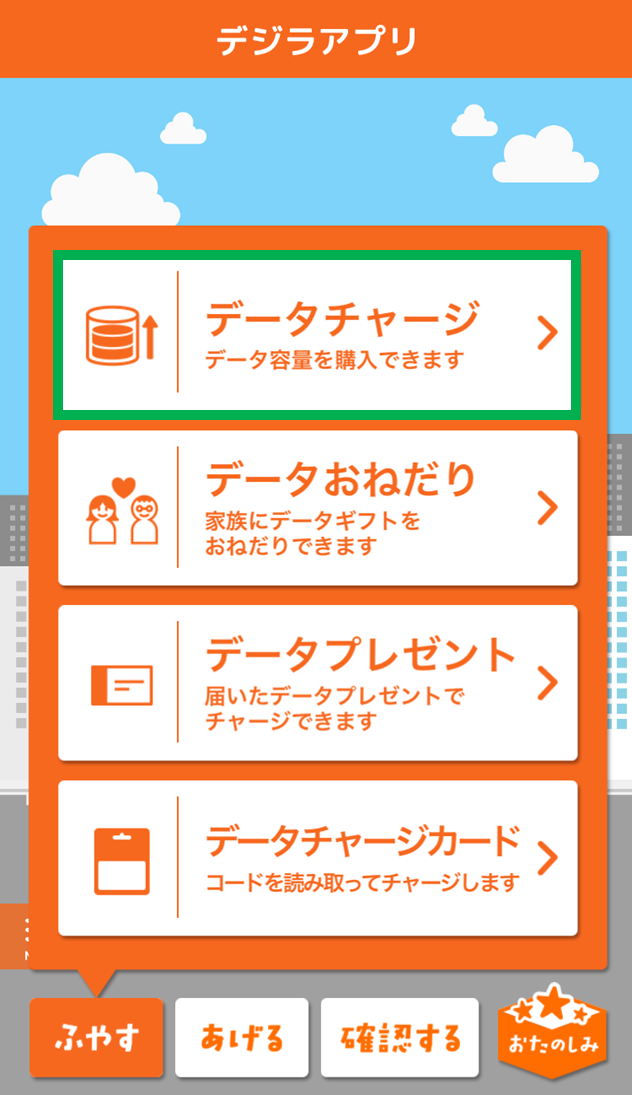
Tap "データチャージ"
-

Select data amount to charge and proceed to payment
Ask for data
-
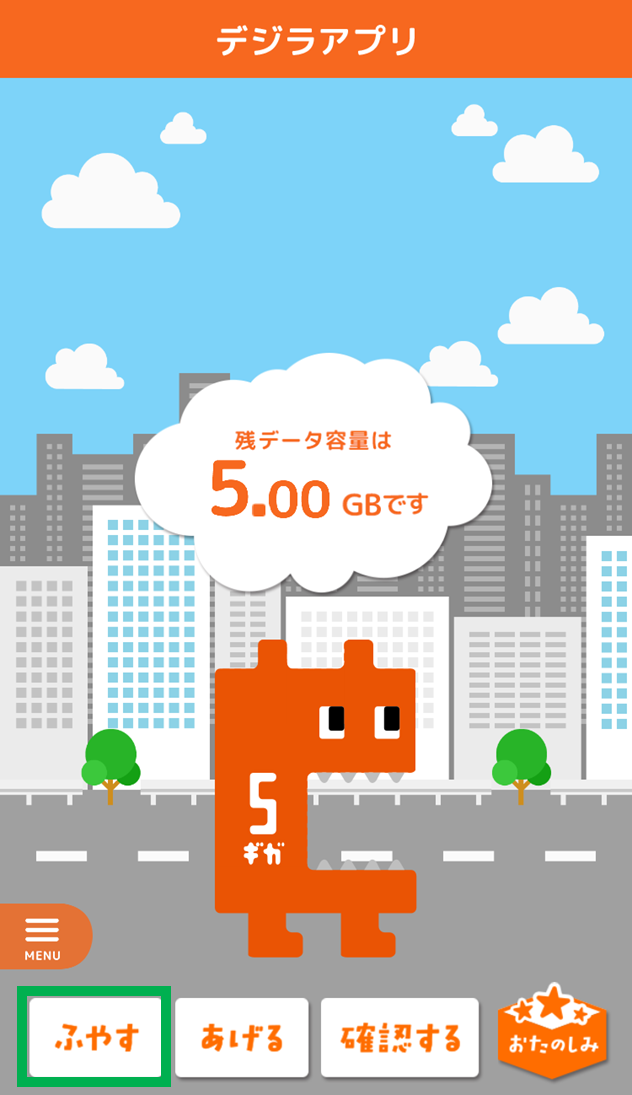
Tap "ふやす"
-
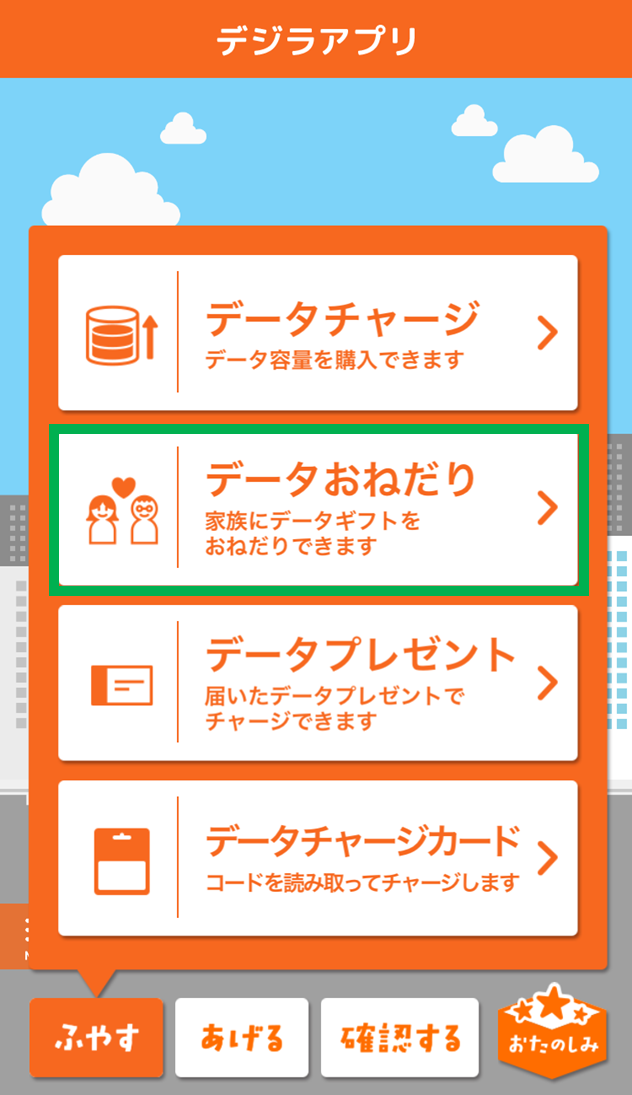
Tap "データおねだり"
-
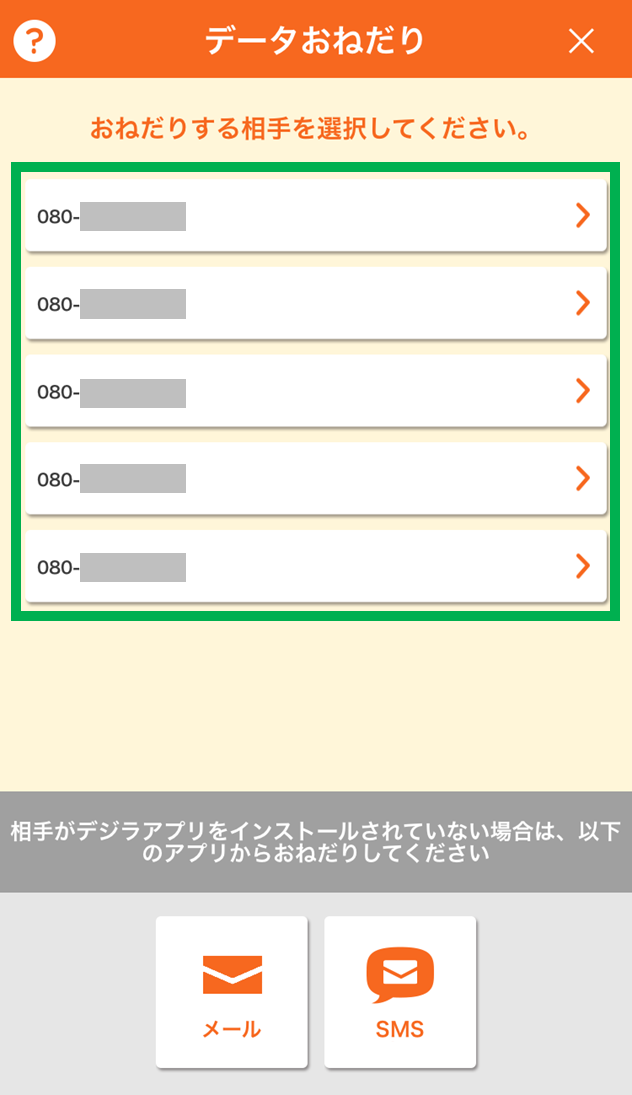
Select the person you want to ask
-
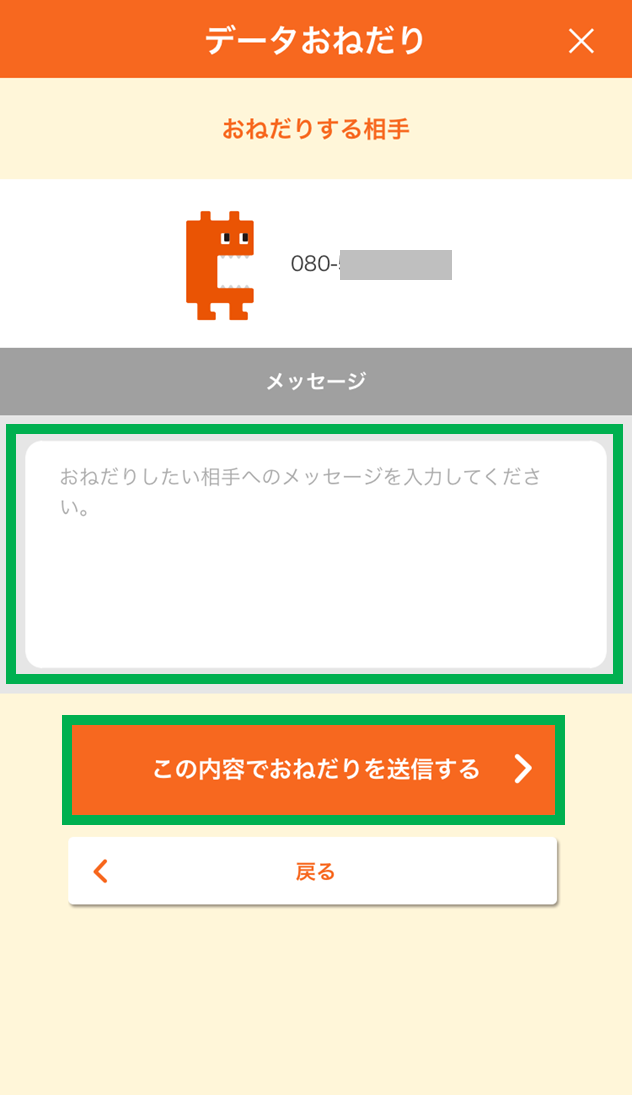
Enter your message and send
Receive a Data Present
-
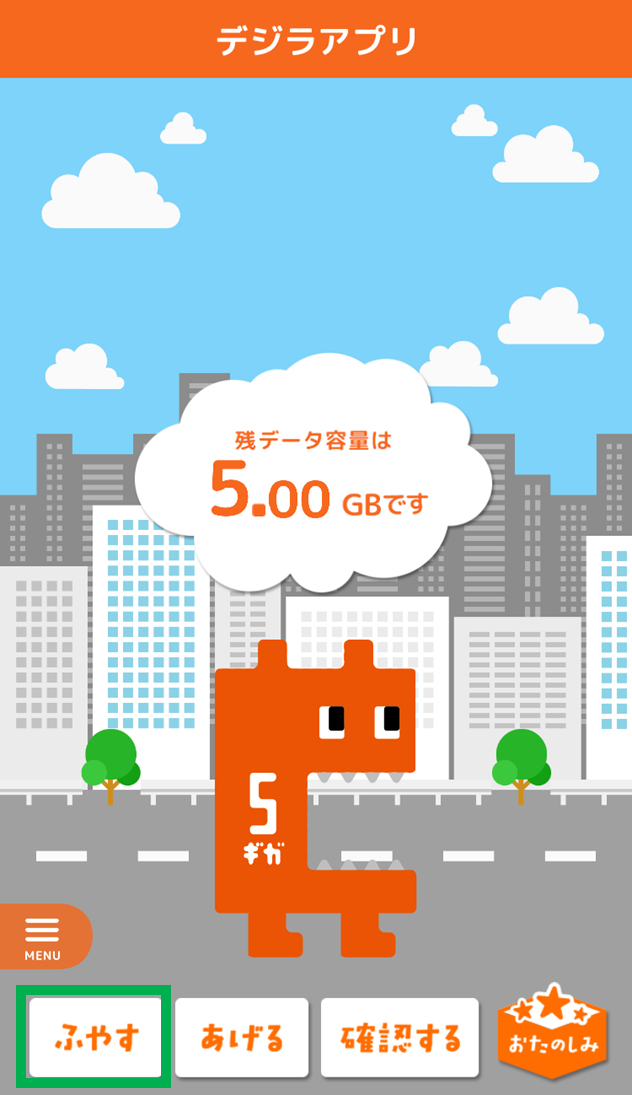
Tap "ふやす"
-
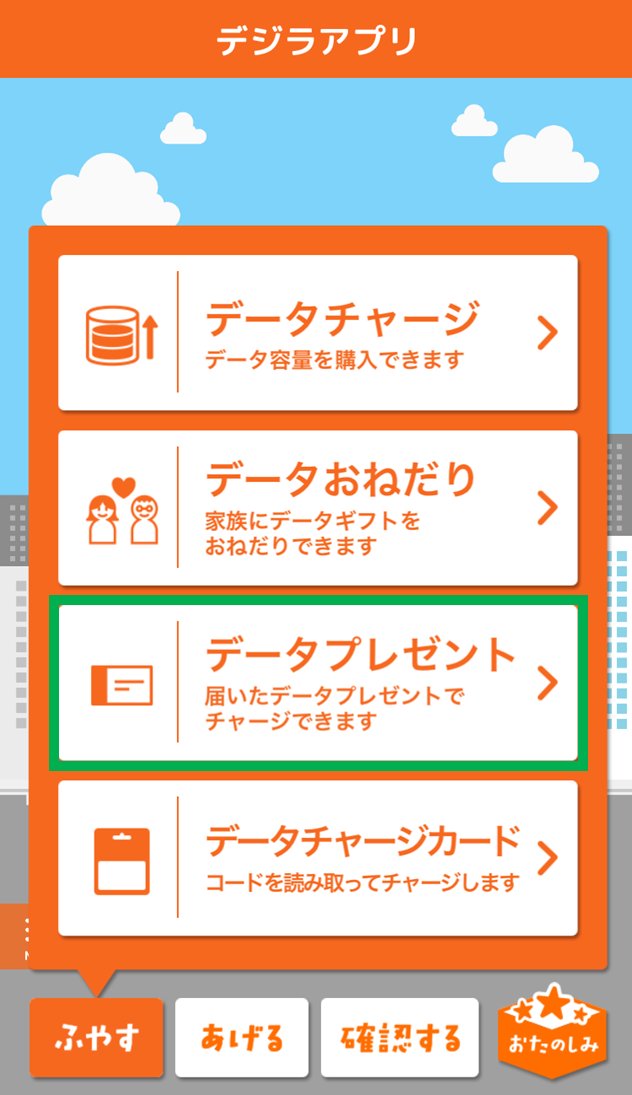
Tap "データプレゼント"
-
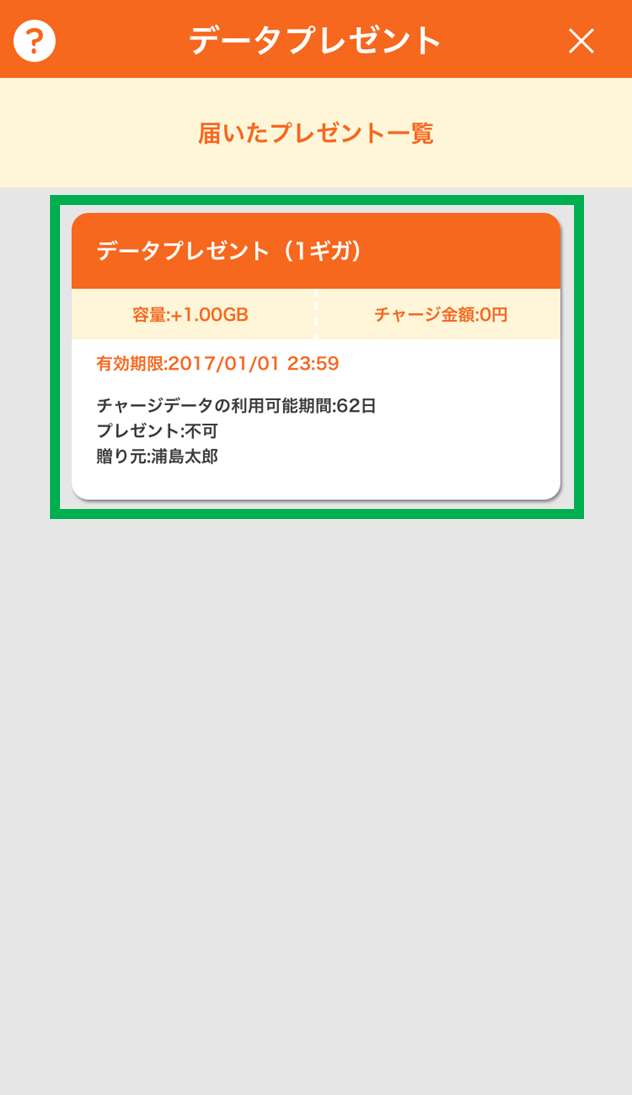
Tap the Data Present you will use
-
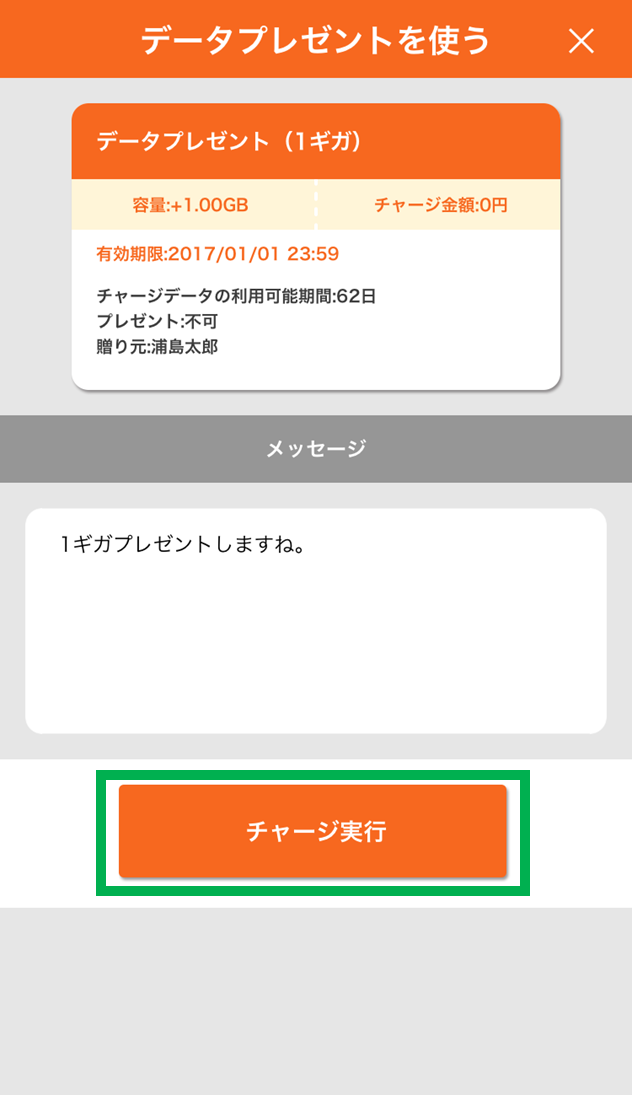
Tap "チャージ実行"
Gift data amount
Data Gift
-
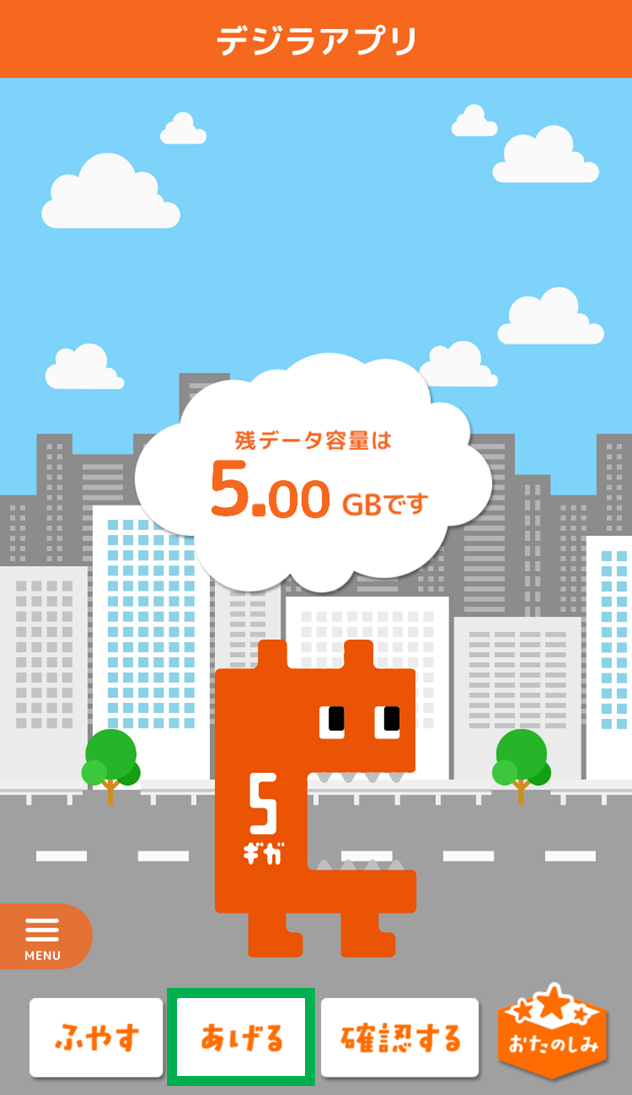
Tap "あげる"
-
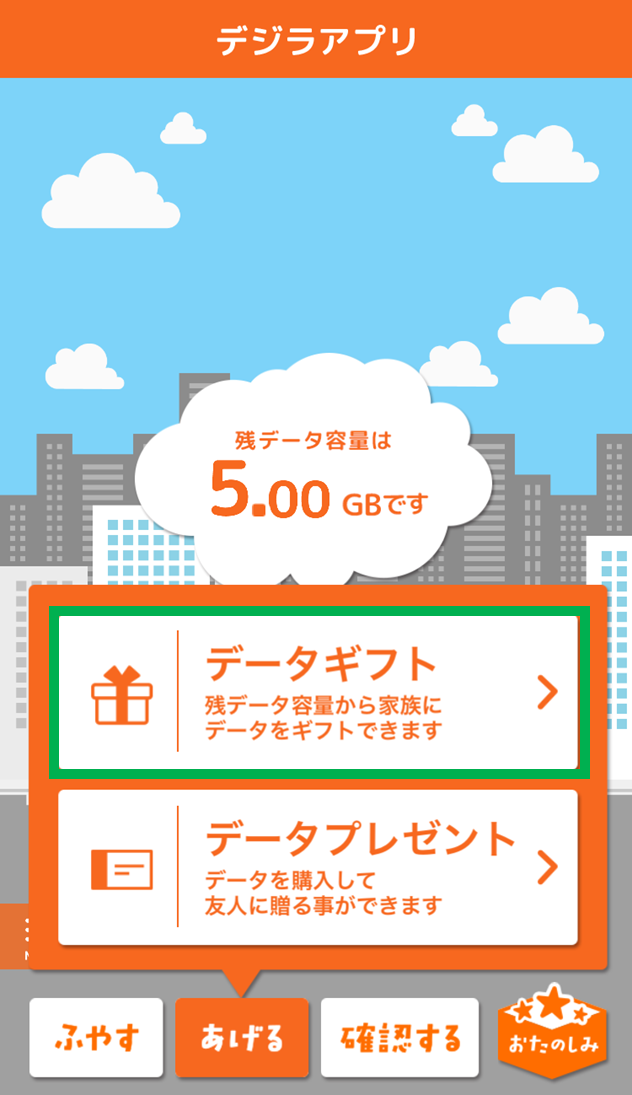
Tap "データギフト"
-
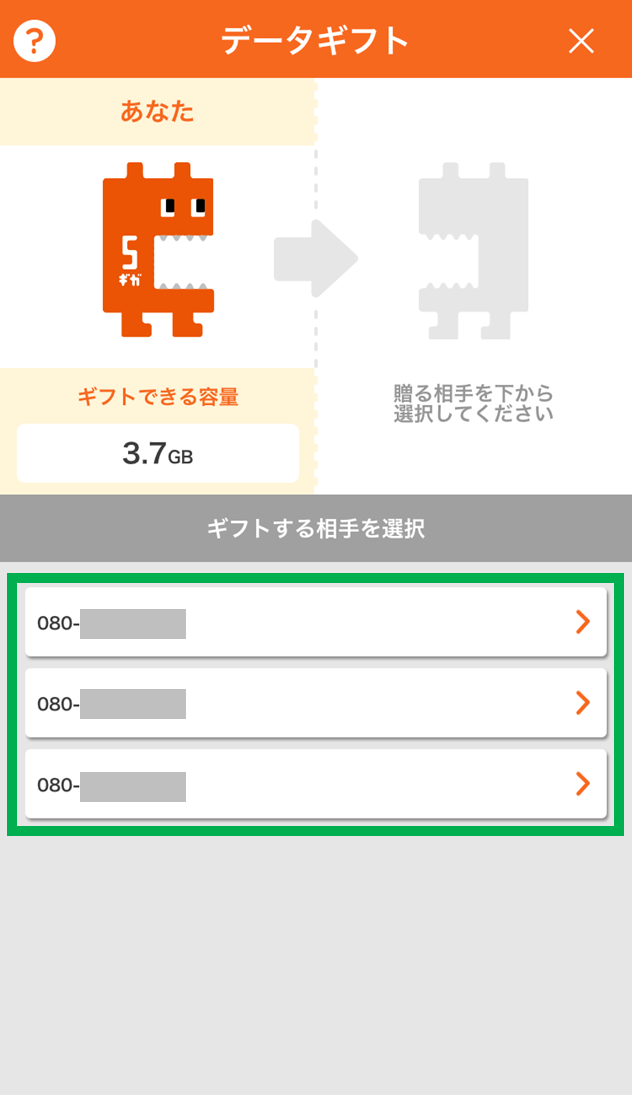
Select the person you want to give data to
-
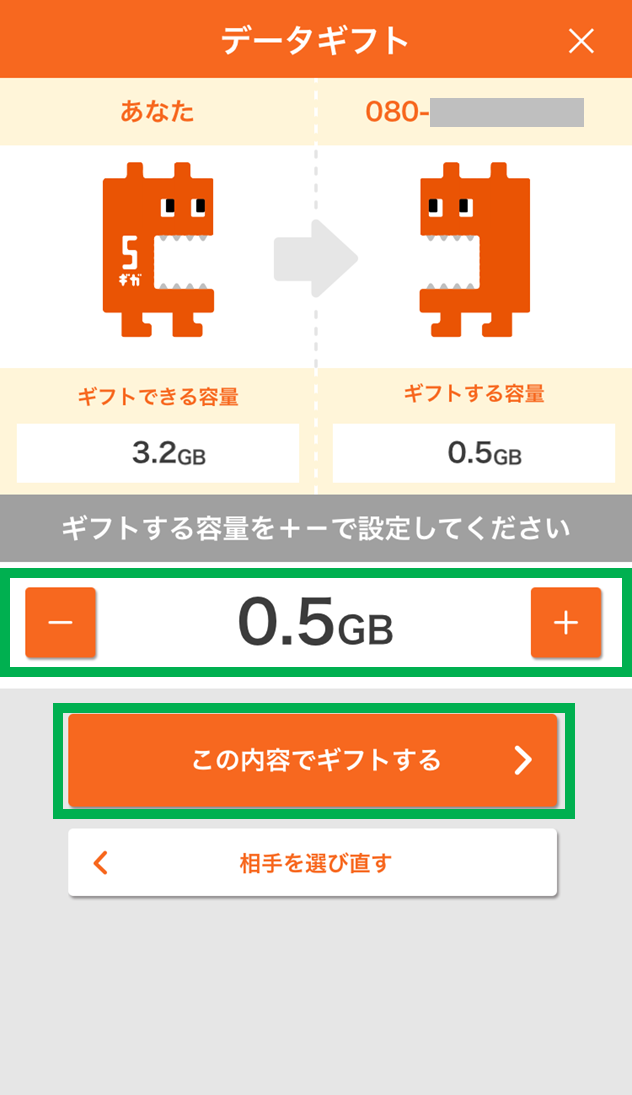
Select the data amount you want to give and give the data
Give a Data Present
-
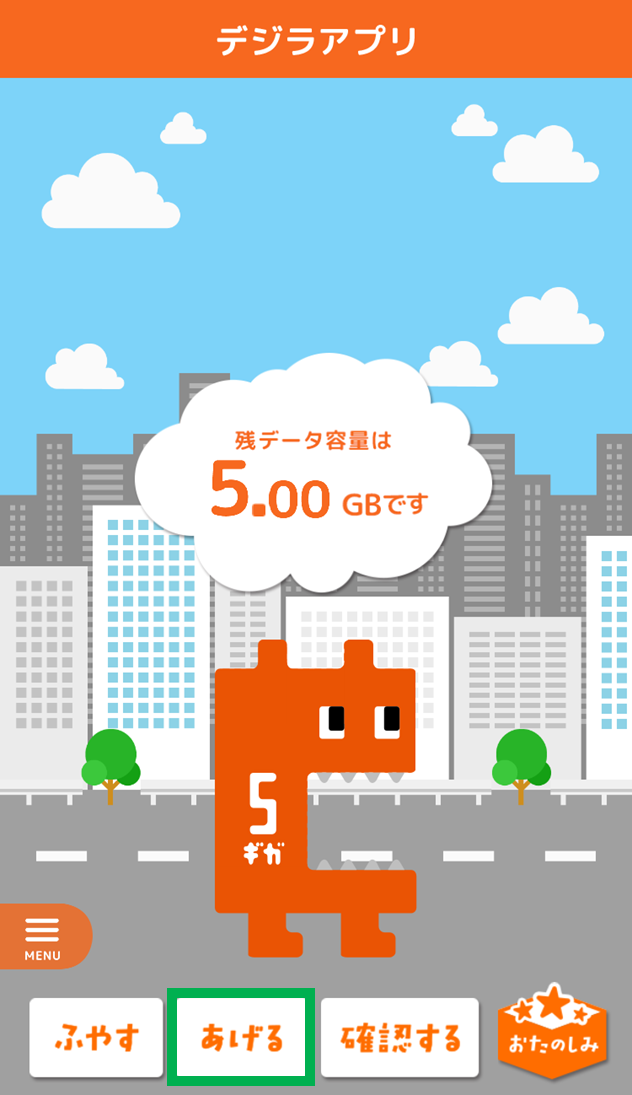
Tap "あげる"
-
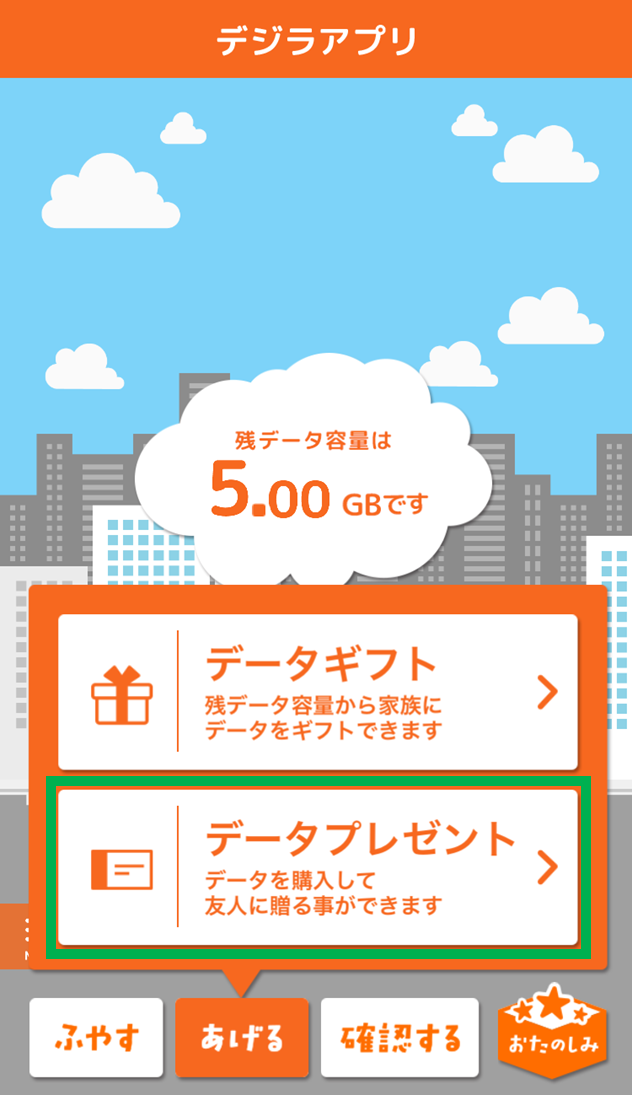
Tap "データプレゼント"
-
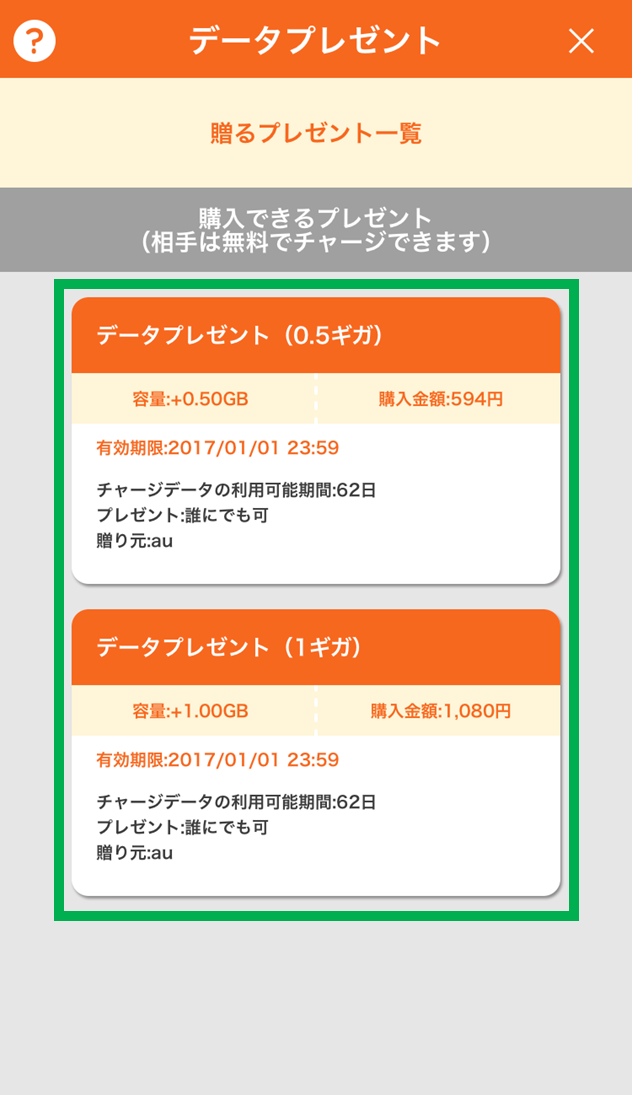
Tap the Data Present you want to give
-

Enter the recipient's phone number and name (first 2 letters) and tap "OK"
-
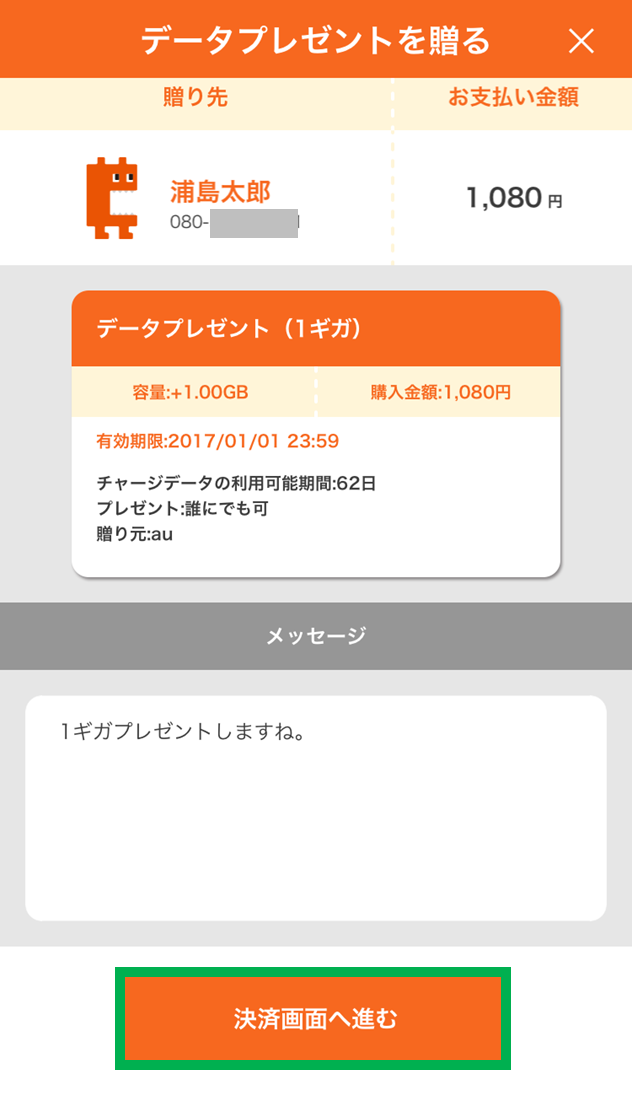
Check details and proceed to payment
Check
Check Data Present usage history
-
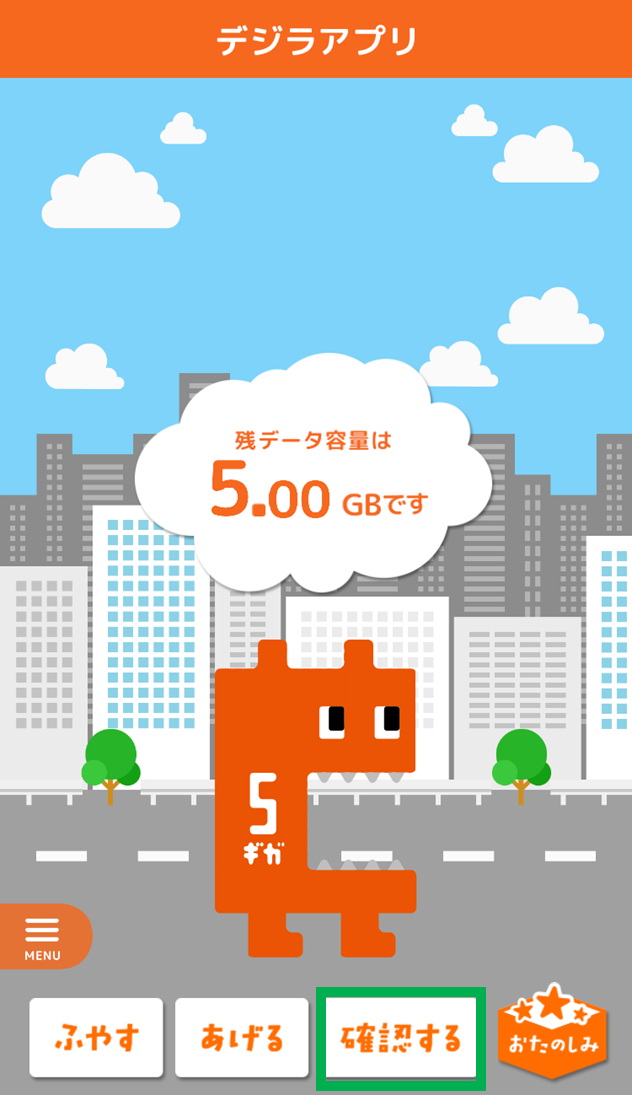
Tap "確認する"
-
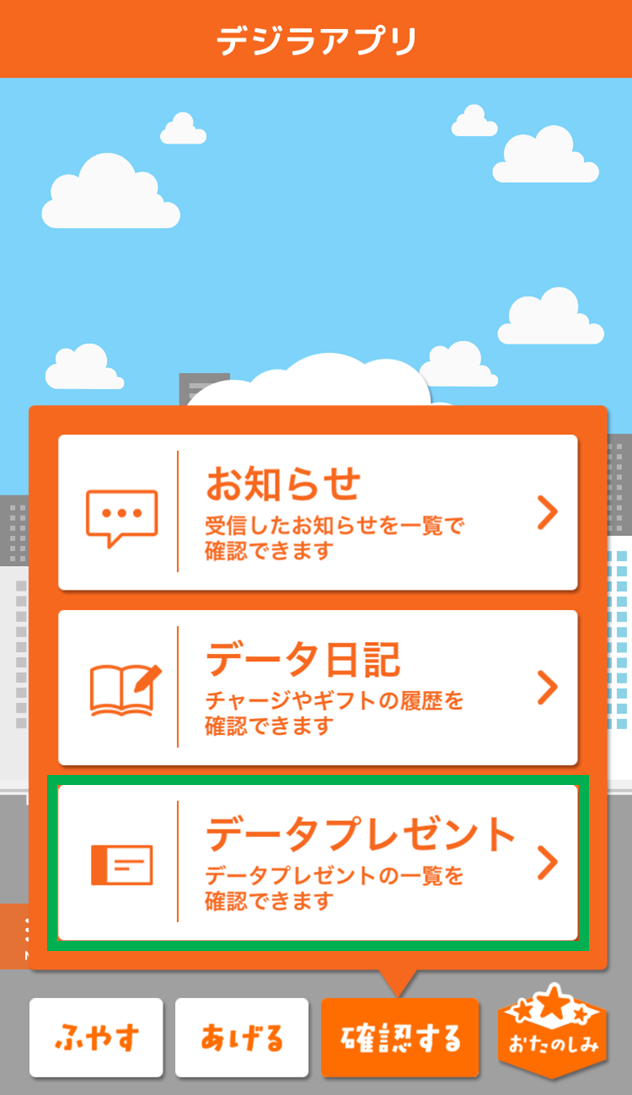
Tap "データプレゼント"
-
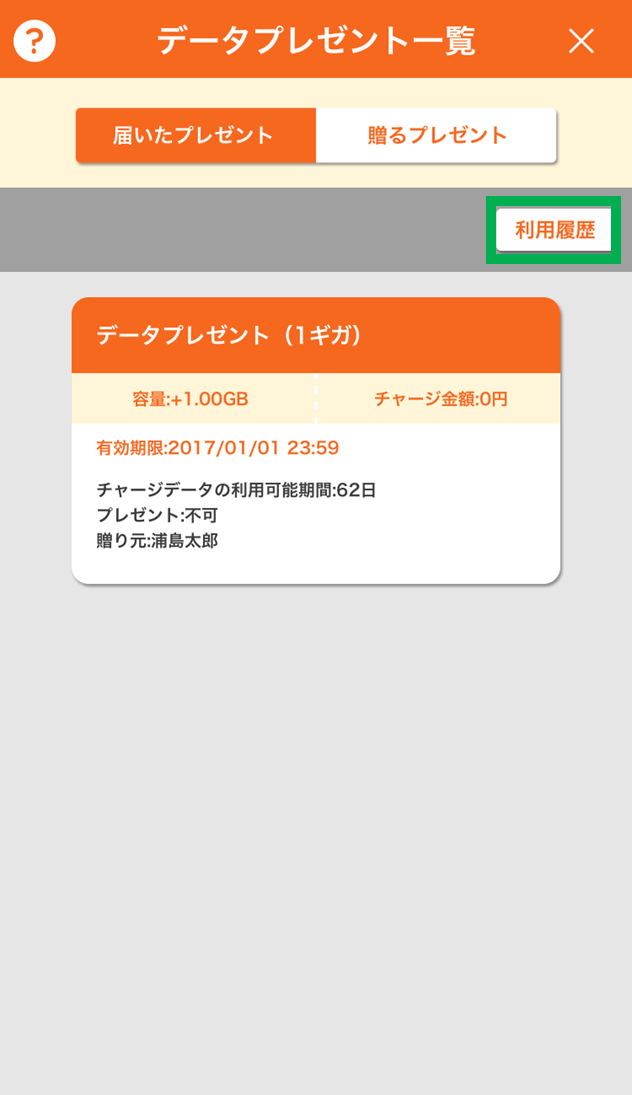
Tap "利用履歴"
-
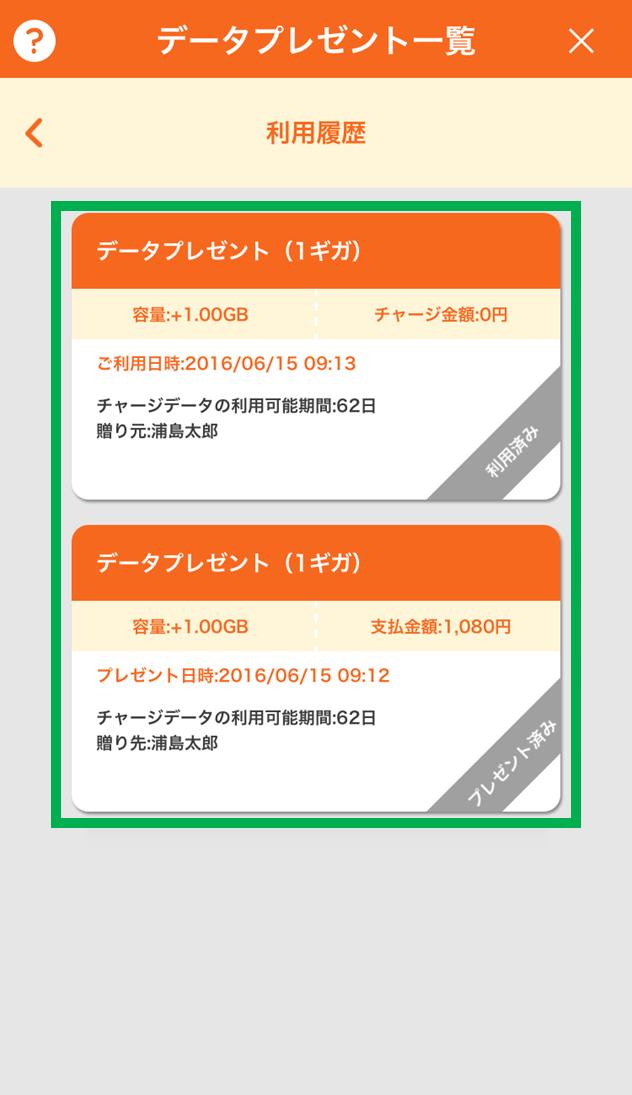
Check the list of used, given, and expired Data Presents
Inquiries
- * If you complete the application procedure to commence the Data Charge service from 8:00 AM to 9:00 PM, you can use the service immediately. If you apply at any other time, you can use the Data Charge service from 8:00 AM the next day. If you complete the procedures for a new contract, model change or additional terminal on the same day, you can use the Data Charge service from 8:00 AM the next day regardless of the time the application procedure is completed.
- * The au ID is required to use the Data Charge service.
(Click here (in Japanese only) to set your au ID / If you have forgotten your au ID or password, click here (in Japanese only))


